Why PG bed management goes wrong
Good PG bed management sounds simple: know which bed is free, who is in every other bed, and who is about to leave. In practice, most PGs keep that in three places — the warden's memory, a register at the desk and the owner's WhatsApp chats — and the three rarely agree.
The cost shows up in two ways. A bed sits empty for weeks because nobody noticed it was free, or it was free but still marked as taken. Or the opposite: the manager and the owner each promise the same bed, and someone arrives with their luggage to find it occupied.
Both problems have the same fix: one list of beds that everyone uses, updated the moment anything changes. This guide covers how to set that up, whether you use a register, a spreadsheet or an app.
Four bed states to track: vacant, occupied, on notice, reserved
"Free" and "taken" are not enough. Every bed in your PG is in one of four states, and each one needs a different action from you.
| State | What it means | What to do |
|---|---|---|
| Vacant | Nobody in it, nobody promised it | Show it to everyone who asks. Every empty day is rent lost. |
| Occupied | A resident lives here | Nothing, apart from collecting the rent. |
| On notice | The resident is leaving on a known date | Start showing it now, so the next person moves in close to the day this one leaves. |
| Reserved | Promised to someone moving in soon | Do not show it. Confirm the move-in date with the incoming resident. |
The state most PGs miss is on notice. A resident who gives notice on the 1st and leaves on the 30th is a vacancy you know about a month early. If you only start looking for the next person after they move out, that bed will stand empty for a while.
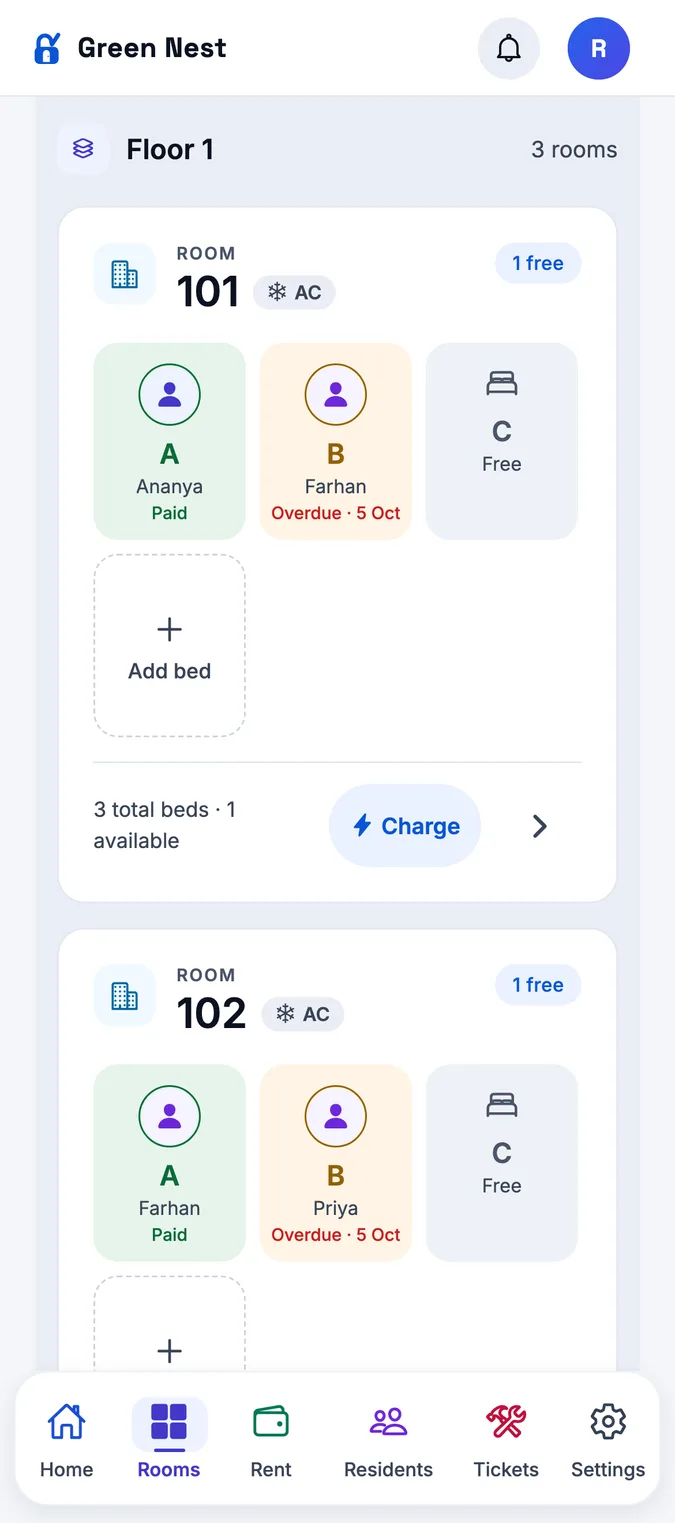
The Rooms board shows every floor, room and bed. An occupied bed shows its resident and whether their rent is paid, due or overdue; the others show as free, reserved or leaving (on notice). Filter by floor or by sharing type, and the counts at the top tell you at a glance how many beds are paid, unpaid, upcoming and vacant.
Set up floors, rooms and sharing types once
Room and bed management starts with the layout. Write down each floor, each room on it, its sharing type (single, double, triple or four sharing) and whether it is AC or non-AC. Then give every bed its own name — 302-A, 302-B, 302-C — and put that label on the wall or the cupboard.
Rent should follow the room type, not the person. If double-sharing AC is one price on the second floor, it should be the same on the third. Exceptions, such as a long-staying resident still on an older rent, should be written against that resident, not remembered at billing time.
When you add a bed to a room or turn a triple into a double, change the list the same day. A list that is wrong once is a list nobody trusts again.
Hostel bed allocation: who goes where
When more than one bed is free, the choice matters. A few rules save trouble later:
- Put people with similar hours together — two night-shift workers in one room, early-rising students in another.
- Fill a room before opening the next one; a half-empty room still needs cleaning, lights and water.
- Keep at least one bed free in each sharing type if you can, so you can say yes to the next enquiry.
How to stop double-booking for good
Double-booking almost always happens the same way: two people can promise a bed, and they are not looking at the same list.
- One list, used by the owner, the manager and the warden. No private registers.
- Reserve on confirmation, not on arrival. The moment someone confirms a date or pays an advance, the bed is reserved.
- Release reservations for people who are not coming. A reserved bed with nobody on the way is a vacant bed you are not showing.
- Check before every promise. If the list says reserved, the answer is no — even for a friend of a friend.
A bed in StayOne holds one resident. If anyone tries to put a second person into a bed that is taken, StayOne refuses. A bed can be reserved for an upcoming move-in, so whoever checks the board next sees it is spoken for. The owner and the manager work from the same board, so there is no second list to disagree with.
Moving residents between beds
Residents move for good reasons: a single room frees up, two friends want to share, someone cannot stand a roommate's 5 am alarm. Every move changes two beds, and if only one of them gets updated, your list is wrong.
- Record the move on the day it happens, not at month end.
- Check whether the rent changes with the new room type, and from which date.
- Free the old bed straight away, so it can be shown.
- If the new room splits its electricity bill, tell the resident how the split works.
In StayOne, Move resident is on the manager's home screen. Pick the resident and the new bed: a vacant bed moves them, an occupied bed swaps the two residents, and the board updates at once. A move-in or move-out entered by mistake can be undone at any time.
Fill empty beds faster
Most PGs fill beds through word of mouth, walk-ins and listings. Whatever brings people to the gate, the speed of the next step decides whether they stay with you or walk on to the next PG.
- Know your vacancies before they happen. On-notice beds are next month's empty beds — show them now.
- Answer an enquiry in one call. If the manager can say "yes, a double-sharing AC bed on the second floor from the 15th" without checking anything, you usually get the resident.
- Get the bed ready the day it frees up. Clean it, check the mattress and empty the cupboard. A visitor who sees a messy room rarely waits for you to tidy it.
- Make joining easy. A long paper form at the desk loses people. Take the name and phone number first; the rest can follow.
- Ask your residents. They know colleagues and classmates who need a place. Tell them when a bed opens up.
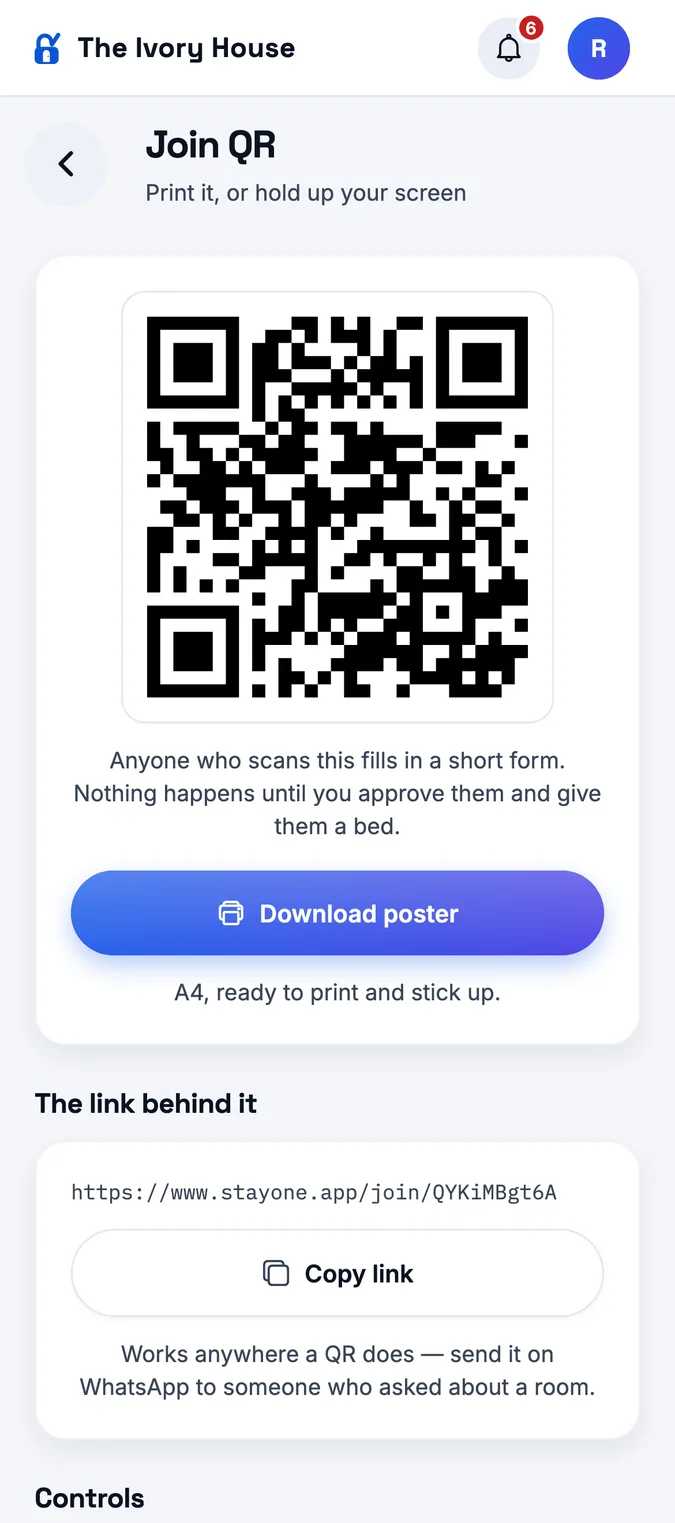
- Print the Join QR poster and put it at the gate, or copy its link for someone who asked about a room. They scan, fill a short form, and nothing happens until you approve them and give them a bed.
- Adding a resident yourself is three steps: name and phone, the bed, then an optional photo and ID proof.
- Moving over from a register? Import residents from an Excel (.xlsx) template, and they go straight into their beds with their rent and rent day.
Room-level charges: electricity, water and repairs
Some costs belong to a room rather than the whole PG: the electricity bill for a room with its own meter, a broken window, a plumber for an attached bathroom. Charging these fairly is part of bed management, because the residents of that room are the ones who share them.
There are two usual ways to split a room's bill:
- Equally among the residents living in the room — the common choice for electricity. A ₹2,400 bill for a three-sharing room is ₹800 each.
- A fixed amount each, for something like a deep clean or a repair everyone agreed to.
Either way, show each resident the full bill and their share, and add it to their dues so it is paid along with the rent instead of being chased separately.
Charge room on the Rooms board takes the room's bill — electricity or water, a repair, or anything else — and splits it equally among the residents living there, or charges each a set amount. You see what each person will be asked for before you confirm. Each resident sees the charge in their dues and gets a notification. StayOne does not read meters: you enter the bill amount.
For how these charges then get collected with the month's rent, see our guide to collecting PG rent on time.
A weekly bed check for PG owners
Ten minutes a week keeps the bed list honest. Do it with your manager, on the same day each week.
| Check | Why it matters |
|---|---|
| Walk one floor and match every bed to the list | Catches residents who moved without telling the desk |
| Every on-notice bed has a leaving date | So you know exactly when to start showing it |
| Every reserved bed has a confirmed move-in date | Releases beds held for people who are not coming |
| Residents who changed rooms are on their new bed | Keeps rent and room charges on the right people |
| This month's room charges are raised | Electricity and repairs reach the right residents' dues |
| Vacant and on-notice beds are shared with residents and enquiries | Fills beds before they go empty |
Starting a new PG? Our guide on how to start a PG business in Hyderabad covers rooms and sharing from the beginning. And for the rest of the PG — rent, payments, complaints and staff — read what PG management software should do, or see how StayOne puts it all in one app.